
Screenshots
App details
- Updated
- Jan 3, 2012
- Language
- Spanish,English
- Developer
- AV converter
- Category
- Mobile
SoftPas in:
This product is also available in the following languages:
About iPod Converter
Download iPod Converter – Fast Video Conversion for iPod Users
Overview
IPOD Converter is a dedicated video conversion tool tailored for users of iPod devices, including the iPod Classic, iPod Touch, and iPod nano. Its primary purpose is to enable seamless playback of video content on iPods by converting unsupported video formats into compatible ones. This app addresses a common challenge faced by multimedia enthusiasts: the inability to play certain video files directly on iPod hardware due to format incompatibility. By transforming files from formats such as MPG, AVI, MOV, and RM into iPod-optimized formats like MPEG4, H.264, and MOV, the tool ensures that users can enjoy their favorite movies and videos without restrictions.
The target audience includes casual users, digital media collectors, and individuals who frequently transfer video content between devices. It is particularly useful for those who maintain personal video libraries or stream content from various sources that do not natively support iPod playback. While the developer did not provide additional background information, the app’s consistent functionality since its release in 2012 suggests a stable and reliable utility within the niche of media conversion tools. Its role in the broader app ecosystem lies in bridging the gap between diverse video formats and legacy iPod hardware, maintaining relevance despite evolving device standards.
Real-world use cases include preparing home videos for travel, converting online video downloads for offline viewing, and organizing media libraries for portable playback. The app’s focus on speed and compatibility makes it a practical solution for users seeking a straightforward path to iPod-ready content.
Key Features & Functionality
- Fast Conversion Speed: Designed for efficiency, iPod Converter delivers rapid conversion times, enabling users to process videos in minutes. While actual performance may vary based on video length and system specifications, the tool is optimized to minimize wait times without sacrificing output quality.
- Extensive Format Support: The app supports a broad range of input formats, including MPG, AVI, MOV, and RM. This versatility allows users to convert almost any video file they have, regardless of its original source or encoding.
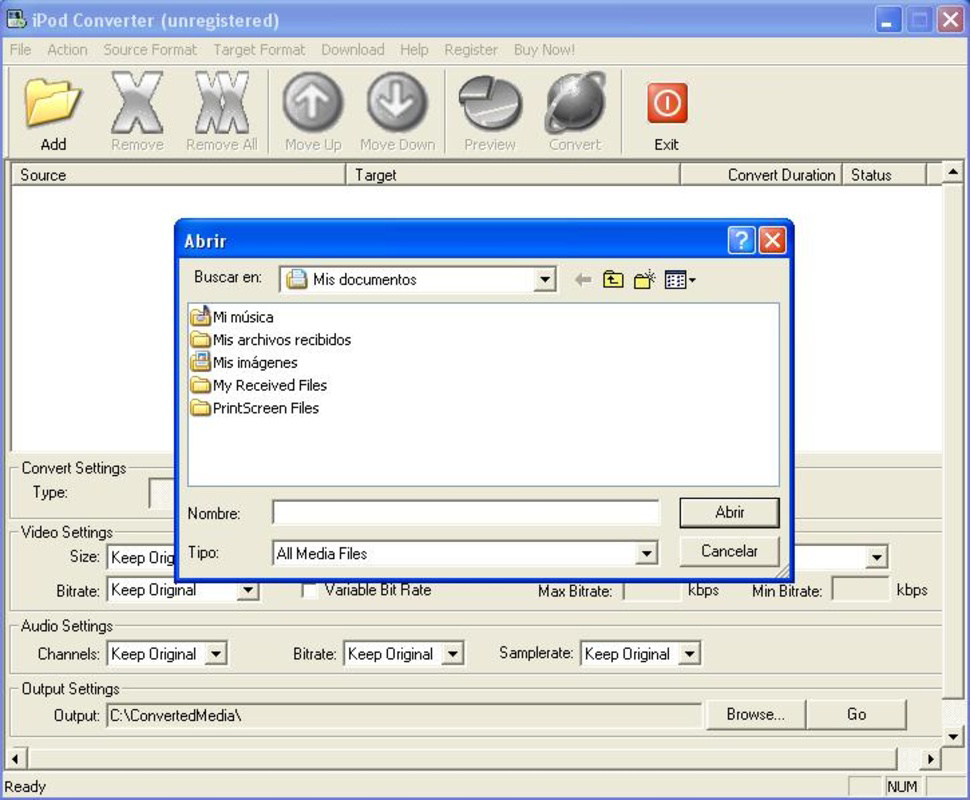
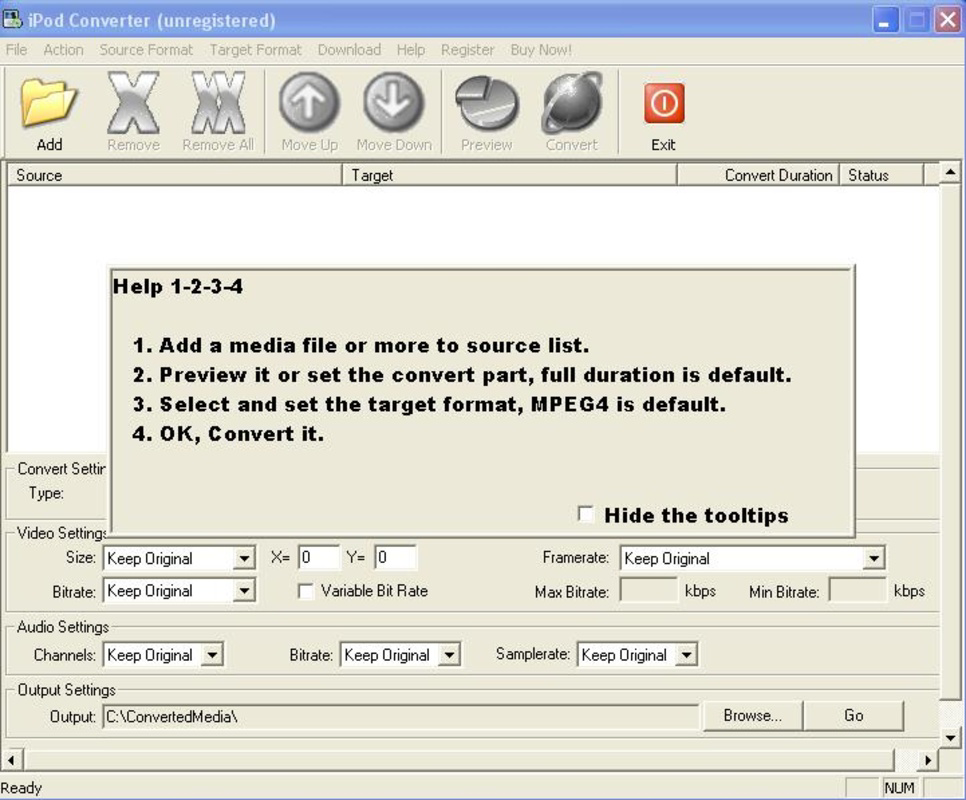
- User-Friendly Interface: The interface is intuitive and accessible to users of all technical skill levels. With a minimal learning curve, even first-time users can navigate the tool with ease by selecting a file, choosing an output size, and initiating the conversion process.
- Multiple Output Format Options: iPod Converter enables conversion into several iPod-compatible formats, including MPEG4, H.264, and MOV. This flexibility ensures compatibility across different iPod models and optimal playback performance.
- Preservation of Video Quality: The tool maintains high visual fidelity during conversion, ensuring that the output video remains clear and sharp, even after format transformation.
For example, a user downloading a movie in AVI format from a non-official source can convert it to H.264 with minimal effort. Similarly, a family planning a trip can convert a collection of home videos into a format playable on an iPod Touch, ensuring entertainment during long journeys. These practical applications highlight the app’s value in everyday digital life.
Interface, UX & Performance
The user interface of iPod Converter is designed with simplicity and functionality in mind. It features a clean layout with clearly labeled buttons and straightforward navigation, allowing users to initiate conversions with minimal steps. The visual style is utilitarian, prioritizing usability over aesthetic flair, which aligns with its role as a productivity-focused tool.
Navigation is linear and intuitive—users select a video file, choose an output format and size, and start the conversion. This streamlined flow reduces user friction and supports quick task completion. Although the developer did not list formal performance metrics, the app is reported to operate smoothly on standard desktop systems, with responsive handling of file processing tasks.
Performance across different device categories is not explicitly detailed. However, based on its release date and design, the app appears optimized for Windows environments. Stability during conversion processes is implied by its long-standing availability, suggesting consistent behavior under typical usage conditions. Users can expect reliable operation without frequent crashes or errors, though no official testing data was provided.
Platform Compatibility & Technical Requirements
IPOD Converter is designed for use on Windows-based systems, as indicated by its historical release and functionality. The platform is not specified as Android or iOS, suggesting it is a desktop application rather than a mobile app. The software version is 2012-01-03, and the file size is not disclosed. The developer did not specify minimum OS requirements or hardware recommendations.
Compatibility information was not fully disclosed, and no details were provided regarding supported Windows versions or processor architecture. Users should exercise caution when installing on modern systems, as older software may face compatibility issues with newer operating systems. The lack of updated technical specifications suggests that the app may require legacy environments or compatibility modes for optimal use.
Pros and Cons
Pros
- Fast and efficient video conversion process
- Supports a wide variety of input and output formats
- Intuitive interface suitable for non-technical users
- Preserves video quality during format conversion
- Compatible with multiple iPod models
Cons
- No official support for modern operating systems confirmed
- File size and system requirements not disclosed
- Outdated release date may indicate limited updates
- Limited to desktop platforms; no mobile version available
- Developer background and support channels not provided
FAQ
Is iPod Converter safe to download and use?
While the app has been available since 2012, users should ensure they download it from a trusted source to avoid potential malware. Always scan downloaded files with up-to-date antivirus software.
Can I use iPod Converter on macOS or Linux?
The developer did not specify compatibility with macOS or Linux. Based on its release history, the app appears to be designed for Windows only.
Does iPod Converter support the latest iPod models?
While the app supports iPod Touch and iPod nano, specific compatibility with the most recent iPod models is not confirmed. Users should verify device support based on their model’s video format requirements.
How do I update iPod Converter?
No official update mechanism or release schedule was provided. Users may need to manually search for new versions, though the app’s age suggests limited or no future updates.
Can I convert videos without losing quality?
The app is designed to maintain high video quality during conversion. However, results may vary depending on source file resolution and encoding settings.
Final Thoughts
IPOD Converter remains a functional tool for users who still rely on older iPod devices and need to convert video files for playback. Its fast conversion speed, broad format support, and ease of use make it a practical choice for managing personal video libraries. While the app’s age and lack of modern compatibility updates are notable drawbacks, it continues to serve its niche purpose effectively for those with legacy hardware.
For individuals seeking a simple, no-frills solution to convert videos for iPod playback, this tool offers reliable performance and straightforward operation. Its value lies in its ability to bridge format gaps without requiring technical expertise.
Download iPod Converter now
Guides & Tutorials
How to install iPod Converter
- Click the Download button above.
- Once redirected, accept the terms and click Install.
- Wait for the iPod Converter download to finish on your device.
How to use iPod Converter
This software is primarily used for its core features described above. Open the app after installation to explore its capabilities.
User Reviews
No reviews yet. Be the first to share your experience.
You may also like
more
Que no te pillen¡
About !Que no te pillen¡Reviewed by Jason A. BilbreyShow MoreShow Less

3D Combat Zone
About 3D Combat ZoneOriginally released in 1983, 3D Combat Zone immerses players...

666: El día del portal
About 666: El día del portalOn June 6, 2006, Agent P. Stone uncovers a sinister...

80 in 1 Best Flash games
About 80 in 1 Best Flash games 80 in 1 Best Flash games is a collection of 80 fl...

ABYSS SEEKERーーWhat Do You See Deep in The Abyss
About ABYSS SEEKERーーWhat Do You See Deep in The AbyssIn ABYSS SEEKER, players...

ACA NEOGEO THE KING OF FIGHTERS 2002 for Windows
About ACA NEOGEO THE KING OF FIGHTERS 2002 for WindowsTHE KING OF FIGHTERS 2002,...